

How do I enable AutoFill for the Password Manager?
AutoFill allows you to quickly enter passwords, 2FA codes, and use passkeys saved in the Password Manager by 2Stable when signing in to supported apps and websites. Here’s how to enable it:
Open your device settings
Open the Settings app on your device.Go to AutoFill settings
Select General, then tap AutoFill & Passwords.Enable the Password Manager
Under AutoFill From, turn on Password Manager.
That’s it! The Password Manager by 2Stable will now be available as an AutoFill option when you sign in to supported apps and websites.
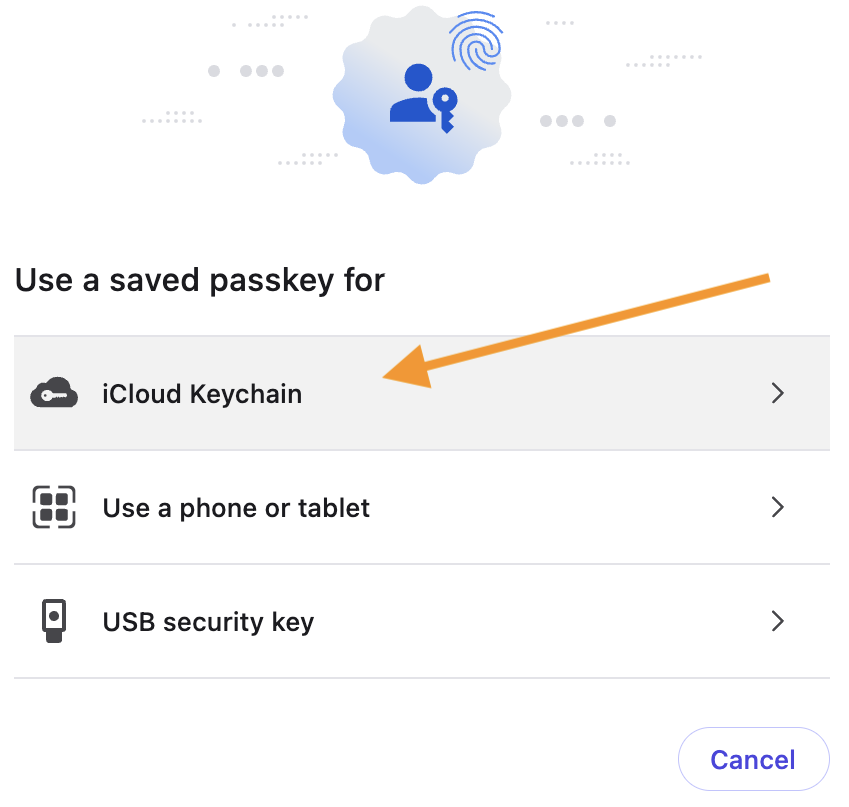
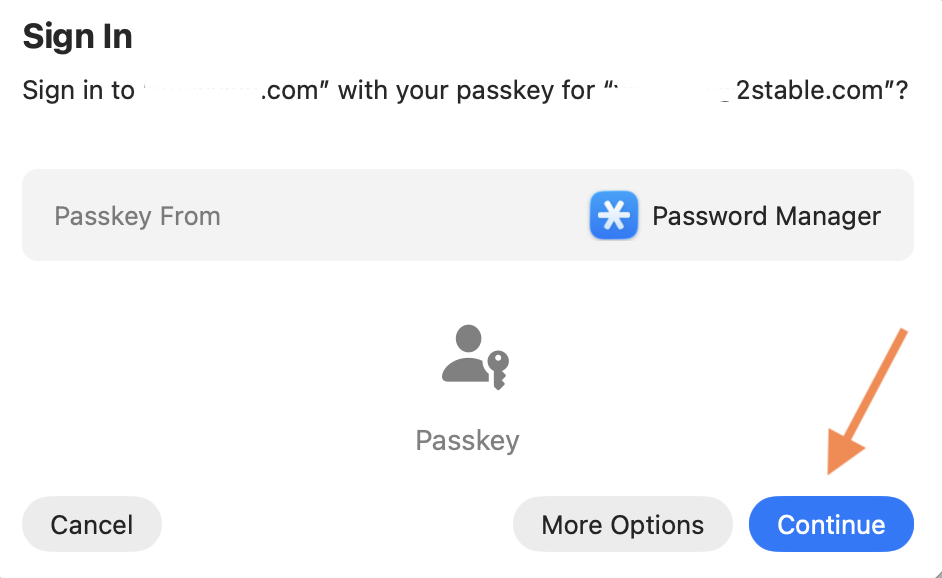
❗Important: When using a passkey, you may see a window that says ‘Use a saved passkey for’. If the Password Manager is not shown automatically, select iCloud Keychain. You should then find the Password Manager as an option and can select it to Continue.
ℹ️ Note: On Mac, password AutoFill from the Password Manager is currently available only in Safari. However, passkeys AutoFill can be used with any supported browser.